5.11 Console and SASE
Console — /system-console
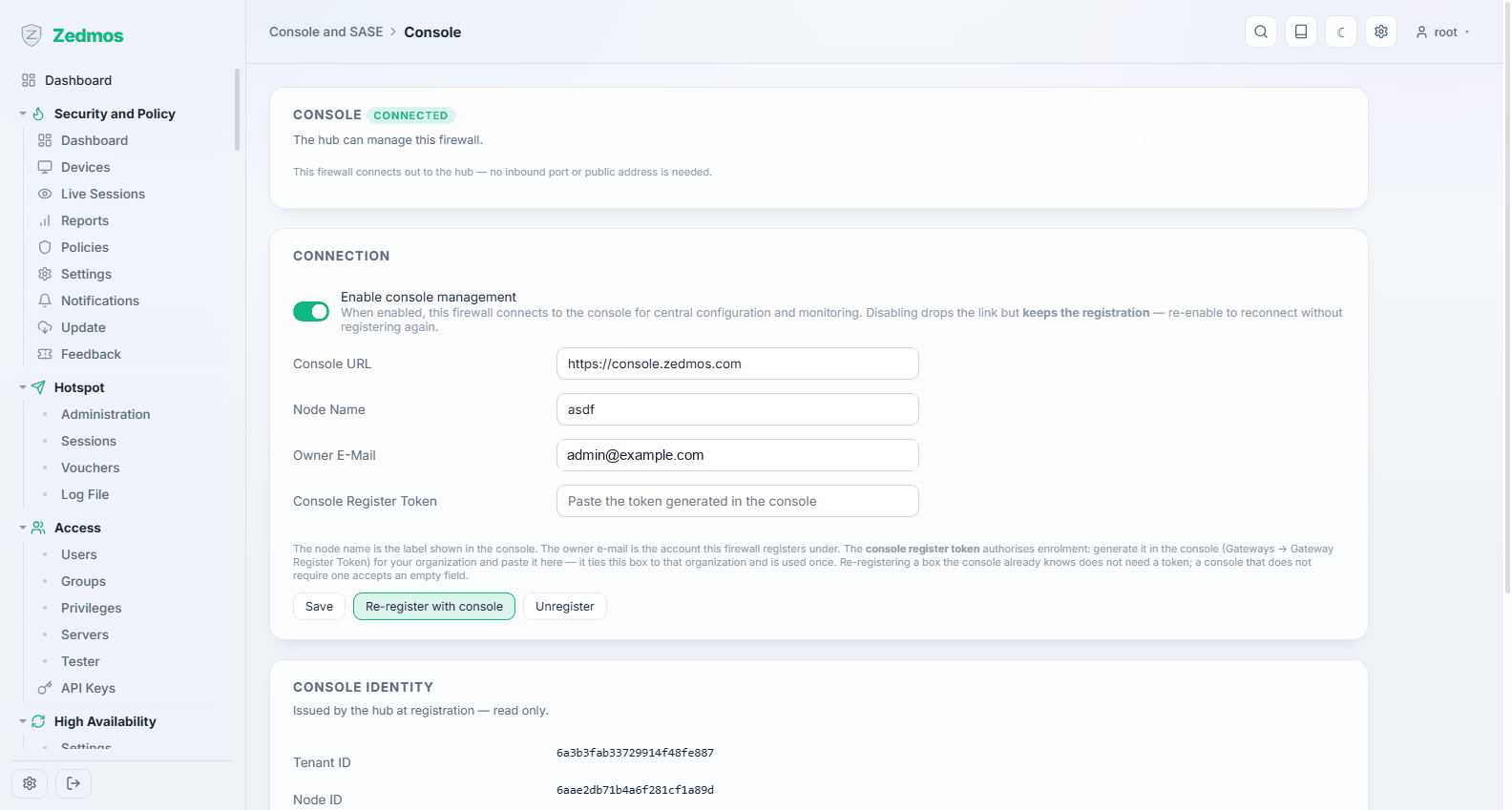
The appliance's link to its management hub: a central console from which a fleet of firewalls is configured and monitored together.
The firewall dials out. It opens the connection to the hub itself, so no inbound port has to be forwarded and the appliance needs no public address — which is what makes this usable behind a customer's NAT.
| Field | Meaning |
|---|---|
| Enable console management | Turns the link on. Switching it off drops the connection but keeps the registration, so you can re-enable later without enrolling again. |
| Console URL | The hub this appliance talks to. |
| Node Name | The label this box carries in the hub. Use something a support engineer would recognise — the site, not "firewall1". |
| Owner E-Mail | The account the appliance registers under. |
| Console Register Token | Authorises enrolment. Generate it in the hub for your organisation and paste it here; it ties this box to that organisation and is used once. Re-registering a box the hub already knows does not need one. |
Save stores the settings, Re-register with console enrols again, and Unregister removes the box from the hub.
Console identity below is issued by the hub at registration and is read-only: the tenant and node identifiers this appliance is known by. Quote them when asking the hub's operators about this box.
What the hub can do is what you allow. Central management means someone with hub access can change this firewall. Treat hub credentials with the same care as the appliance's own — and if a box must not be centrally managed, leave the link off.