Central management, at last
Add a VPN user, change a rule or read a report for any client without logging into that client's box. Organisations, branches and firewalls sit in one tree; a change to a group reaches every member.
For managed service providers
Multi-tenant from the first firewall, on the OPNsense or pfSense CE boxes your clients already run. Unlimited firewalls on the MSP tier, billed monthly in arrears. Your brand on the console and on the box. And if the console is ever unreachable, every firewall keeps enforcing what it already holds.
Four levels. A role is granted at one of them and reaches everything below it — which is how a first-line engineer sees the customer they are assigned and nobody else's.
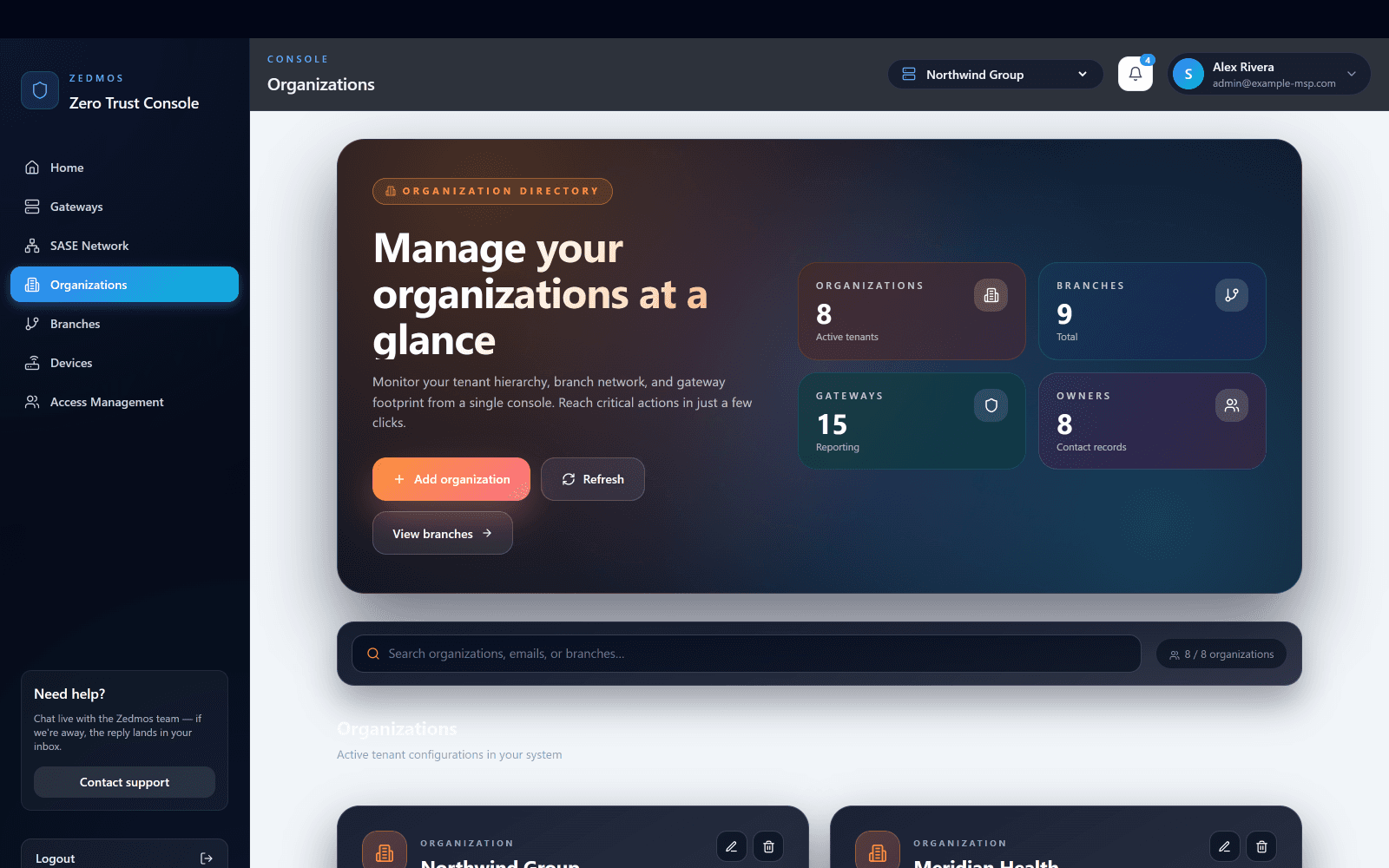
Installed on your server, under your domain. Every customer you manage is an organisation in it; the count here is the whole estate.
Switch it at the top and every page below follows: their firewalls, their policy, their reports, and no sight of anyone else's.
A customer with eleven offices is eleven branches under one organisation. A site engineer can be scoped to exactly one of them.
Whichever platform it runs, it registers into its branch on first boot and reports here.
Owner changes anything including who else has access; administrator changes policy and configuration; viewer reads reports and sessions and changes nothing.
Nobody has to be on site, and nobody types the customer's network settings into the console. The appliance arrives, is plugged in, and places itself.
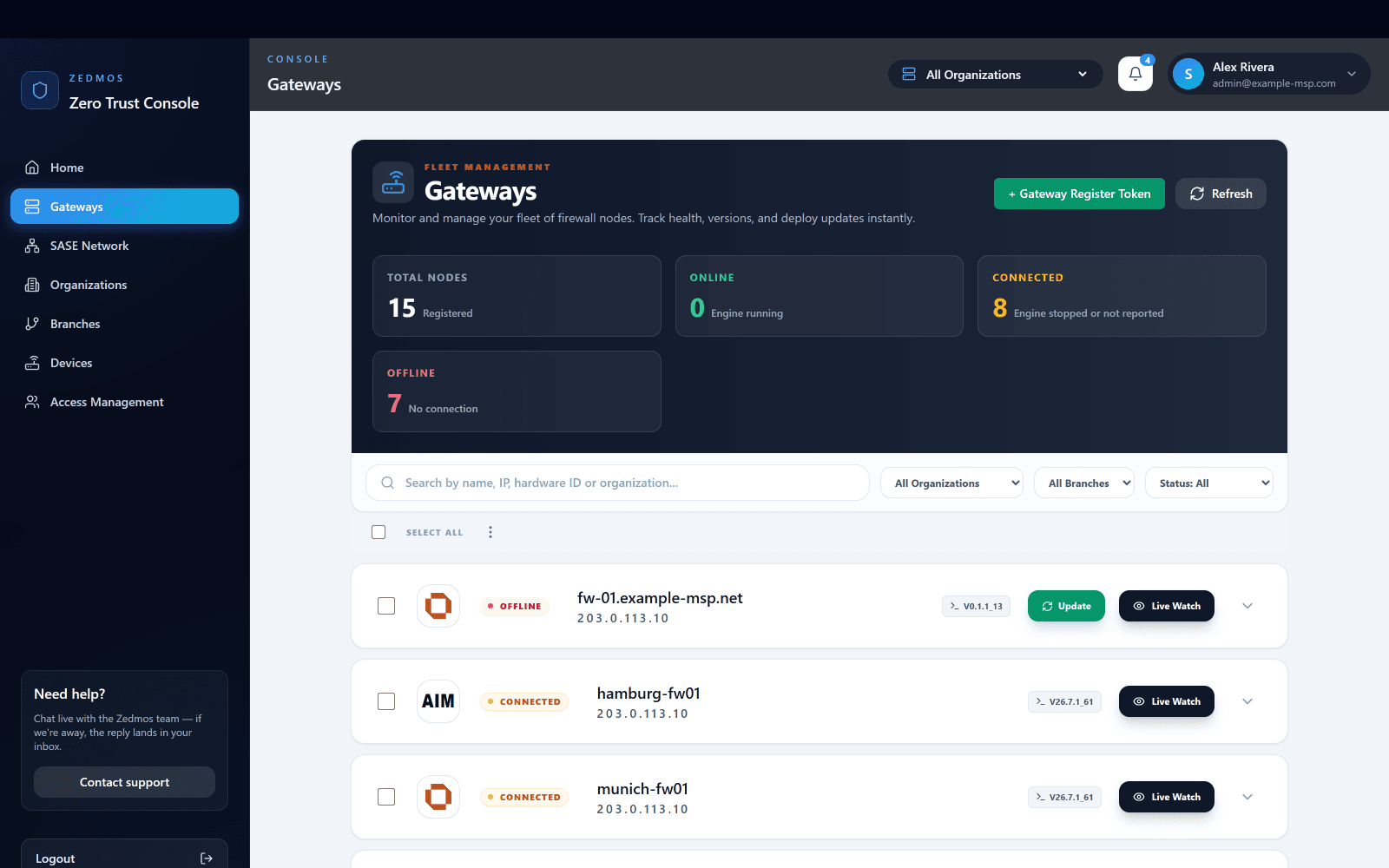
Generate a register token, put it in the installer, and the firewall registers itself into the right organisation and branch on first boot.
Registered, online, connected, offline. A firewall that stopped reporting is a number here before it is a phone call.
The same list serves one engineer looking after one customer and the person responsible for all of them.
Every firewall shows what it runs. A release is offered, not forced: a few firewalls first, then the rest, or the whole estate at once.
Open the live sessions of any firewall in the list without logging in to the firewall itself.
You
One organisation for the customer and a branch for each of their sites. This is the structure their reports, their policy and their invoices will hang from.
You
The token carries which customer the firewall belongs to. It is short-lived and can be revoked before it is used, so handing one to an installer is not handing over your console.
Zedmos
On first boot it redeems the token and appears under the right customer, in the right branch. Nobody reconciles a list of serial numbers afterwards.
Zedmos
Policy attached at the customer or the branch reaches the new firewall without an edit — and reaches the next one they add, too. Their one exception is recorded at their scope, not by forking your baseline.
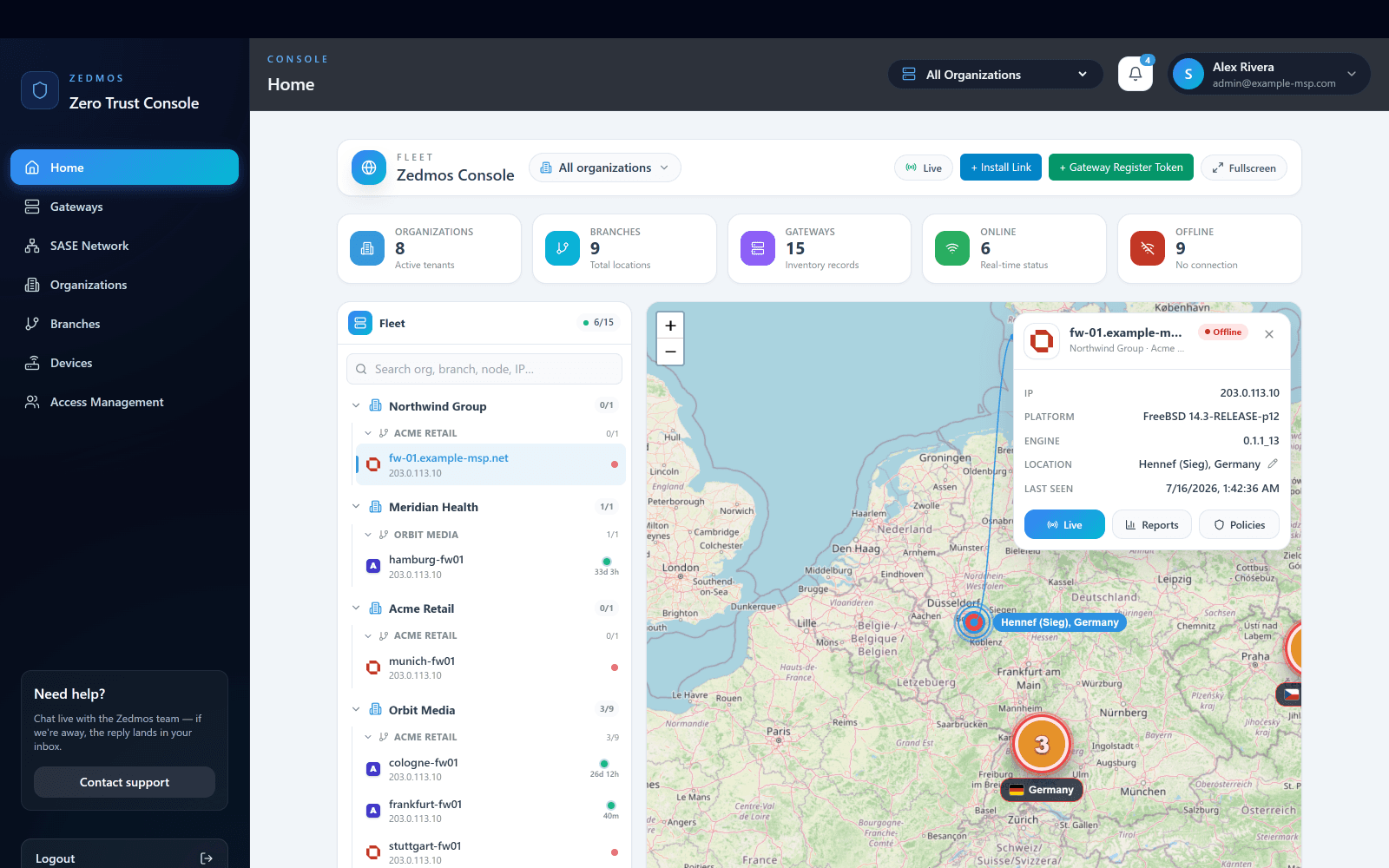
Every site on one map
Fleet · 1 of 9
The console opens on the whole estate: organisations, branches and gateways in one tree, and every site placed on a live map with its current health.
Add a VPN user, change a rule or read a report for any client without logging into that client's box. Organisations, branches and firewalls sit in one tree; a change to a group reaches every member.
Run the console as a container on your own server under your domain, or use ours at console.zedmos.com, operated from Frankfurt. Same product, same features. The choice is a procurement conversation, not a technical one.
Three roles across three scopes. First-line support sees the customer they are assigned; a senior engineer sees the estate; a client can be given a read-only view of their own firewalls.
The console, the firewall interface and branded appliance builds can carry your name and your colours. Your customers see your product.
Management and enforcement are separate. If the console is unreachable, every firewall keeps enforcing the policy it holds. When a licence lapses, management goes read-only; traffic is never dropped.
CEF, LEEF and syslog over TLS to the SIEM you run. Per-client reports for the quarterly review, from the same console.
It is built for one. Multi-tenant from the first firewall, unlimited firewalls on the MSP tier, billed monthly in arrears, white-label on the console and the box, and a console you host yourself or use hosted from Frankfurt.
Monthly, in arrears, on the firewalls that were running at the end of the month that just ended. Onboard a client in March, pay for March in April; offboard one and it leaves the count the same day.
Yes. Three roles (owner, administrator, viewer) across three scopes (organisation, branch, firewall). First-line support sees the customer they are assigned; a client can be given a read-only view of their own estate.
Management goes read-only. The firewall keeps enforcing the policy it holds and never drops the customer's traffic. Your service does not go dark because an invoice is late.
CEF, LEEF and syslog over TLS, to the SIEM you already run, with the verdict and the reason attached to each record. Per-client reports come from the same console.
Partners & channel: sales@zedmos.com
Talk to us about partnering